
Summary
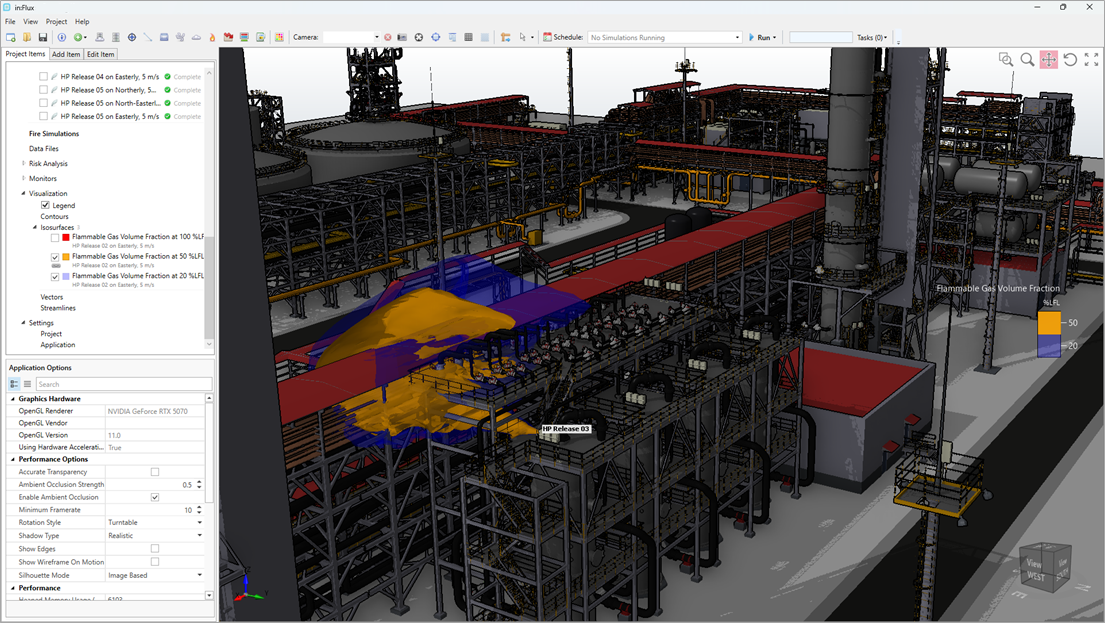
This is a major update to in:Flux, affecting many aspects of the user interface, functionality and security:
- The main 3D window has been updated with improved lighting, higher frame rates, and more advanced visual options (ambient occlusion, accurate transparency, silhouettes, shadows etc.).
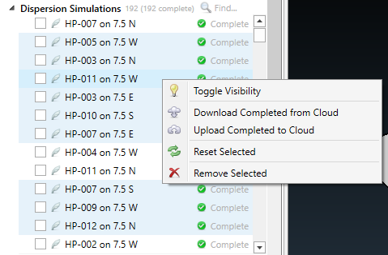
- The project tree and property grid have been updated, with the project tree now supporting multi-select.
- in:Flux can now automatically connect to ifx:Solve running on machines in the same network, making it far easier and less cumbersome to run in:Flux in a distributed computing environment. To complement this, ifx:Solve now includes a multi-solve capability that automatically starts to run more than one simulation at a time depending on available resources.
- ifx:Solve can now be run on Linux, allowing instances of in:Flux (running on Windows) to connect and run simulations on network machines running Linux.
- The solver is now far quicker and includes various improvements. Typically, simulations run in Version 5.0 are faster by a factor of 2. Any differences to previous versions should be small, and are due to improved solver capabilities.
- Additional security measures have been included to ensure projects are completed using licensed versions of in:Flux. A service has been created to validate ifx project files and send validation certificates to clients. To combat piracy, please advise your clients to request validation certification on all projects.
Feature Improvements
User Experience
- The 3D window has been updated with multiple improvements. The look and feel of the window have been improved with better lighting, higher frame rates and support for OpenGL 3.3.
- Various options for the 3D window are available via the Application Options – link to the help guide here with descriptions of the various settings
- The property grid has been updated
- The project tree has been updated to now support multi-select:
Distributed Network Solver
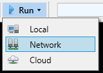
- in:Flux can now connect to analysis machines (Workstations) on the same network, and send simulations to these machines for solving. The Network Manager can be accessed via the main “Run” button or through the project menu (Project > Network Manager)
- Simulations can then be selected to run on any machine in the network that has installed the ifx:Solve Service (the ifx:Solve Service installer is available now on your customer portal), setup instructions are at https://help.insightnumerics.com/inFlux/Tutorials/Tutorial_13_ifxSolve/ifxSolve_Service.htm:
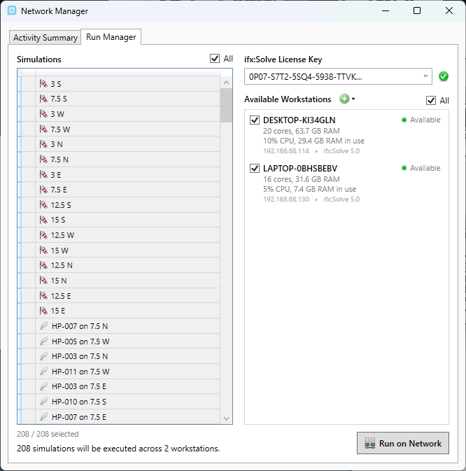
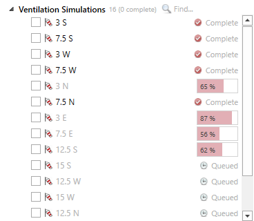
- Selecting “Run on Network” then sends the simulations to the selected Workstations, with multiple simulations running in parallel. The status of the simulations is reported back to in:Flux in real time:
Updated Solver
- The solver has undergone extensive performance testing and improvements. All improvements related to pure performance enhancements have been tested to ensure that no unintended changes were made to the results.
- The performance improvement of Version 5.0 is approximately a factor of 2 compared to Version 4.41. In other words, run-times should be roughly half for steady-state simulations (slightly less improvement for transient simulations should be expected).
- Improvements to the linear solver have resulted in relatively small changes to results from the previous version. This is a genuine improvement of the solver compared to the previous version and is a natural result of the development efforts to continually improve in:Flux for our users.
Security / Project Verification
- An option has been included to verify that the project has been performed with a licensed version of in:Flux. This option is available from the Project Menu, shown below. The process is described further on the help guide here and is also available for Detect3D projects.
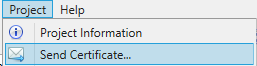
- Selecting this menu item opens the following window:

- When the “Send” button is pressed, the .ifx file authenticity is verified, and certification of this authentication is sent to the recipient email. The recipient receives an email in the following format:

- Clicking “View Certificate” links to our web portal (https://portal.insightnumerics.com) and shows the full certificate:
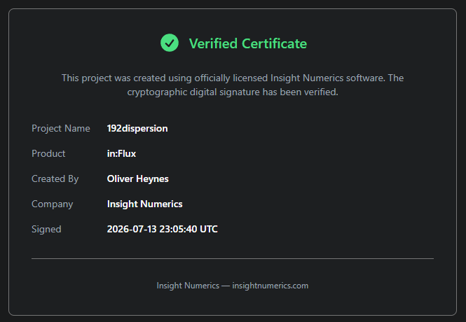
- Please encourage your clients to require this certification for every project to combat pirated use of in:Flux.
Other
- Annular inflow shapes have been added for Custom Emissions:
- Full-resolution images are now available for cloud post-processing via the Batch Image Output.
- Update to .NET 10 from .NET Framework 4.8.
Bug Fixes
- Multiple minor bug fixes.
- – Thank you for using in:Flux –
Release Date:
July 17, 2026
Find us